Developers
Make your first API call
The Eventory API lives at api.eventory.ai and takes your API key in the apikey header. Start with GET /usage, which is free and confirms the key works, then search the catalog, add an event to your watchlist and request live availability. Market data and live availability calls cost credits; the watchlist and usage endpoints are free. The full reference, with request and response examples for every endpoint, is in the API documentation.
Before you start
- An API plan on your workspace and an API key from the API settings page.
Steps
Get your API key
Open Settings and the API section. Your key is shown there, with the routes it is allowed to call and your credit balance for the period. Keep it server-side: it identifies your workspace and spends its credits.
A key is granted access to the APIs your plan includes. A call to an API the key cannot use returns 403, not 401, which is how you tell an access problem from a bad key.
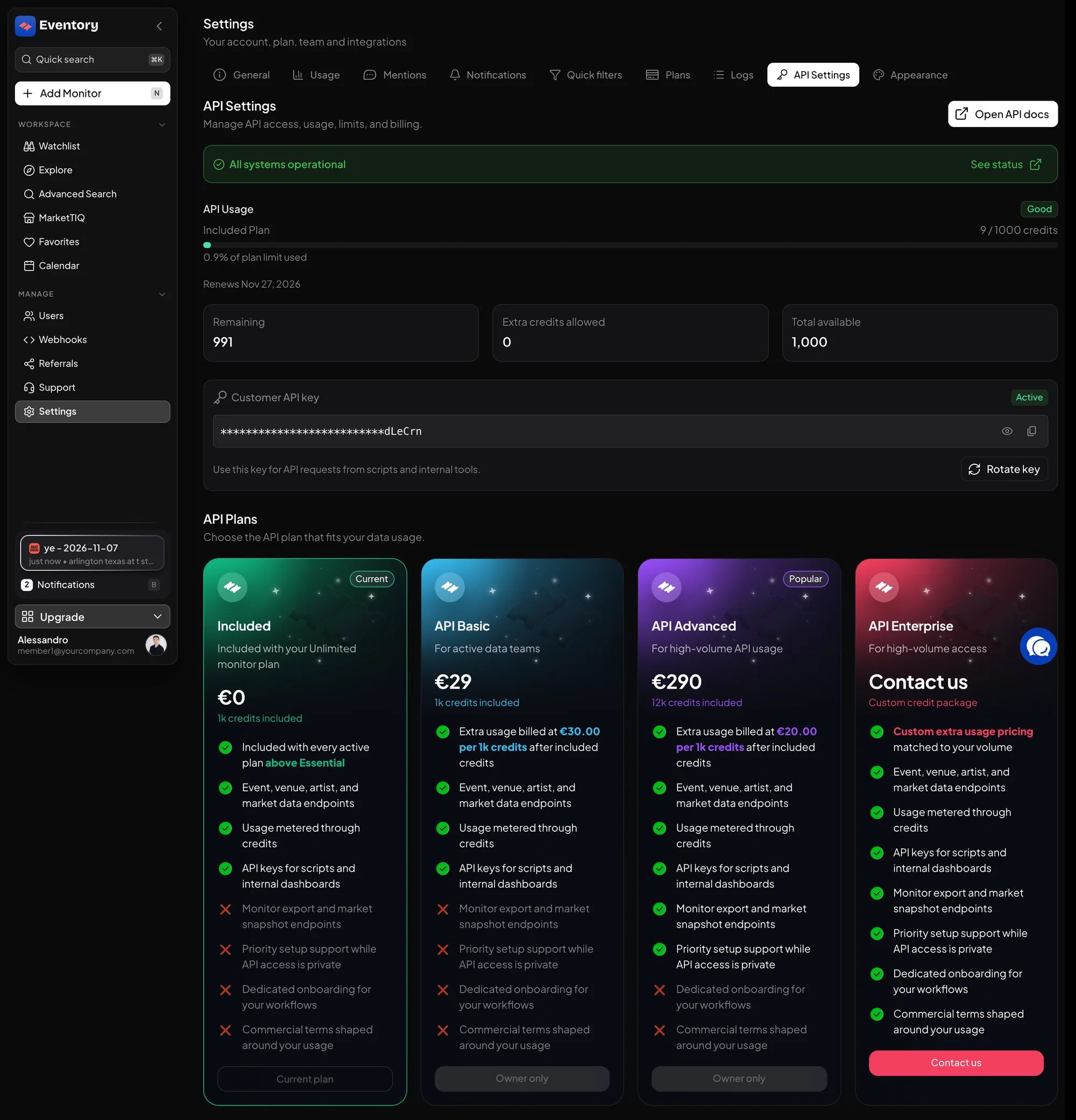
Settings, API Settings: the status banner, your usage for the period, the Customer API key with Rotate key, and the API plans. Verify the key with the usage endpoint
Call GET /usage with the apikey header. It is free, every valid key can call it, and the response shows your plan, the billing period and credits used, so it doubles as a balance check.
- curl -H 'apikey: YOUR_KEY' https://api.eventory.ai/usage
Search the catalog
POST /eventory/data/search finds events by text with optional filters and sorts. The filter expression syntax and the filterable attributes are documented on the search filters guide. The response carries the event ids you need for every other call.
Add an event to your watchlist
POST /watchlist with the site key, the event and the region creates a monitor exactly like the dashboard does, with the same optional filters: sections, price bounds, seat quantity and the restock thresholds. Watchlist calls are free.
GET /watchlist lists what you have; PATCH and DELETE on /watchlist/{id} edit and remove. Alerts for watchlist items are pushed on the notifications WebSocket, documented under Stream.
Pull live availability
POST /events/scrape fetches the current availability for one event on one platform, synchronously, and can take up to a minute: set your client timeout accordingly. GET /events/platforms lists the platform keys, the regions each accepts and an example event id for each.
This endpoint costs credits per call and is rate limited per account. The per-endpoint costs are on the credits page.
The APIs and what they cost
Four groups of endpoints share the one key and the one base URL.
- Market Data (/eventory/data/*): search, event prices and stats per marketplace, recent sales, artist metrics, add to tracking. Costs credits.
- Live Availability (/events/*): platforms list and the live scrape. Costs credits, rate limited.
- Watchlist (/watchlist*): create, list, update, delete monitors. Free.
- Account (/usage) and the notifications WebSocket. Free.
Where the full documentation is
Every endpoint has a reference page with its parameters, an example response and the errors it returns, at eventory.ai/docs. The documentation is also published for machines: llms.txt indexes every page and openapi.yaml is the full specification.
You can also talk to the API from ChatGPT or Claude through the MCP connector described in the AI assistants guide.
Frequently asked questions
Is the header Authorization: Bearer?
No. The key goes in a header named apikey. There is no bearer token.
What happens when my credits run out?
Credited endpoints return an error until the period resets or you add credits; the free endpoints keep working. You are notified by email as you approach the limit.
Can I use the API without a Monitors plan?
Yes. The API is its own plan. The watchlist endpoints create monitors delivered on the WebSocket, independent of the dashboard plan.
Is there a sandbox?
GET /usage and the watchlist endpoints are free, so you can exercise authentication and most of the flow without spending credits. Live availability and market data always cost.
Next steps
Build it into your own tools
The same availability, sales and watchlist data behind one API key, billed in credits.
API documentation: the reference for developers, next to these guides.